How to Control Sonos on a Mac Without the Web App Controller
Sonos's only Mac desktop option is now the web app at play.sonos.com: functional, but built for browser access, not Mac workflows. No keyboard shortcuts, no menu bar, no macOS integrations. This guide covers what the web app provides and how Menu Bar Controller for Sonos (MBC) fills the gap.
6 min read
Sonos stopped developing its native Mac desktop controller in May 2024, replacing it with a browser-based web app as part of a broader platform overhaul. The desktop app had been in maintenance mode for years (it never gained Apple Silicon support and was quietly moved off the Mac App Store), so the transition had been signaled for some time. The official announcement confirmed that the web app would launch alongside a redesigned mobile app in May 2024, and serve as the Mac experience going forward. This article covers both: what the web app offers today, and how MBC addresses what the browser can’t.
Prefer watching? The whole answer in two and a half minutes:
What Sonos Offers on Mac
The Desktop App Era
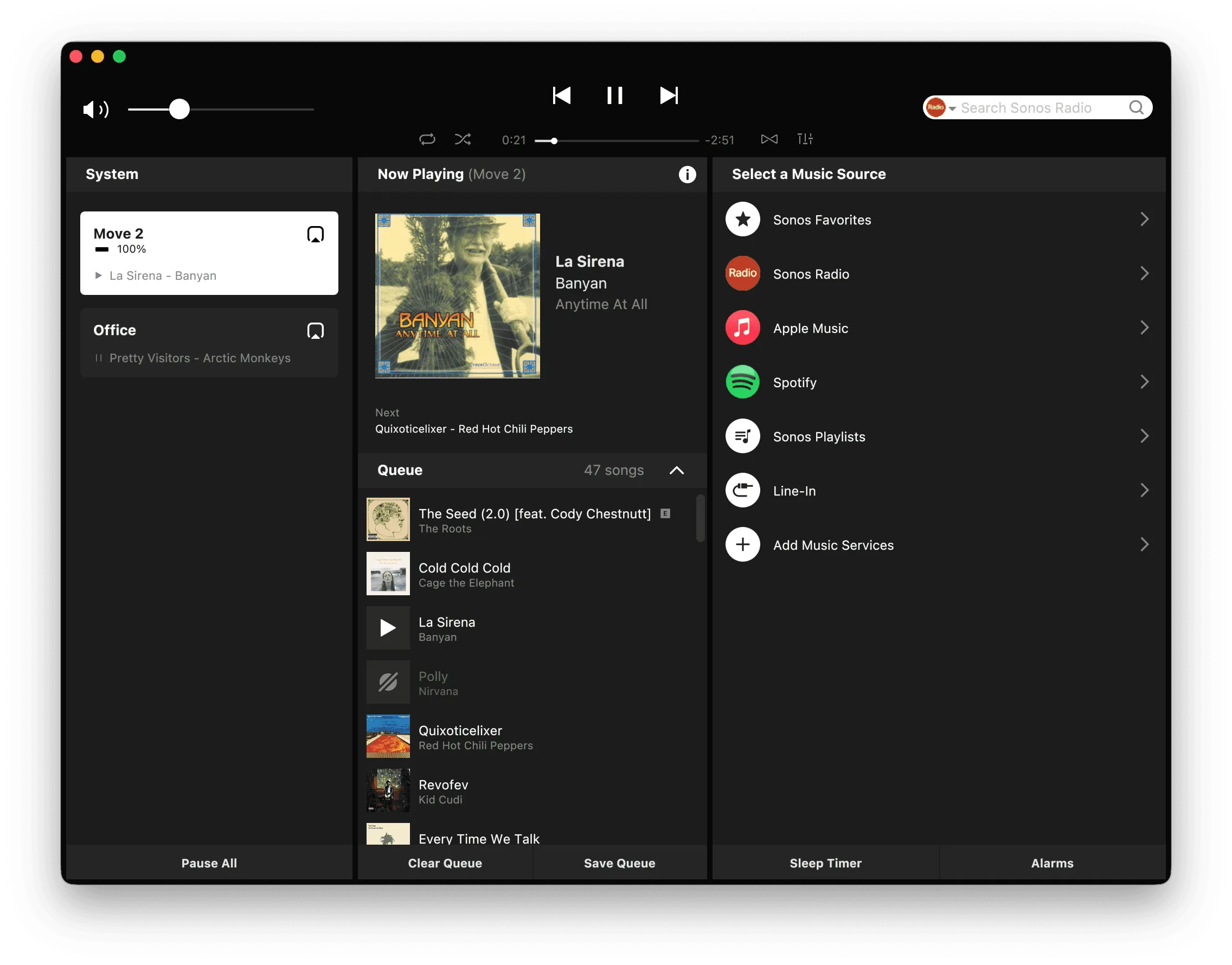
For years, Sonos distributed a standalone Mac controller as a direct download from its website. It was functional and familiar, but it runs under Rosetta on Apple Silicon, never received a native recompile, and was eventually stripped of system configuration features as Sonos consolidated those into mobile. By the time it was officially replaced by the Web App, the desktop app had become a playback-only controller in maintenance mode. The Sonos Mac App Is Going Away covers the sunset in full.
The Sonos Web App
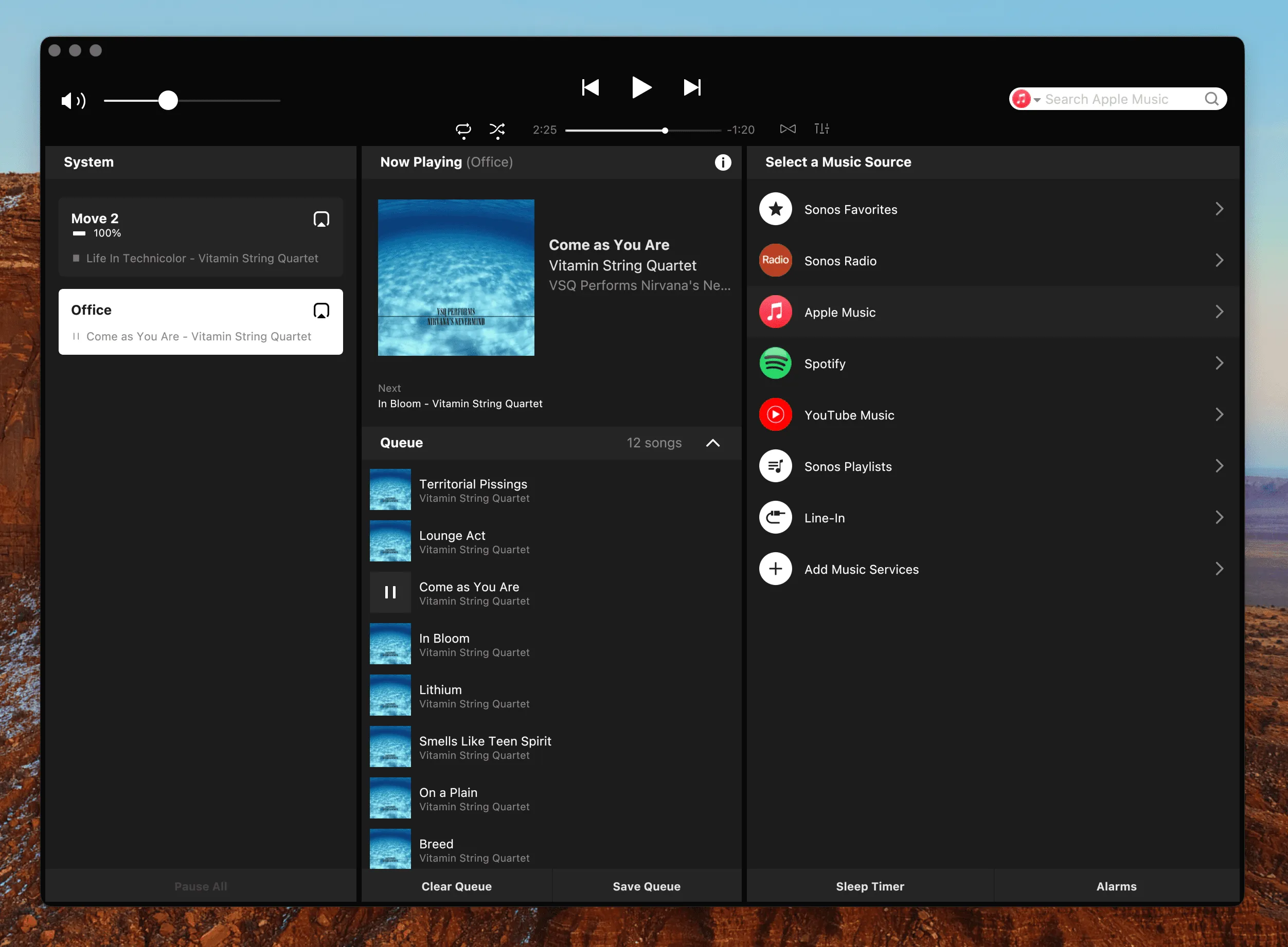
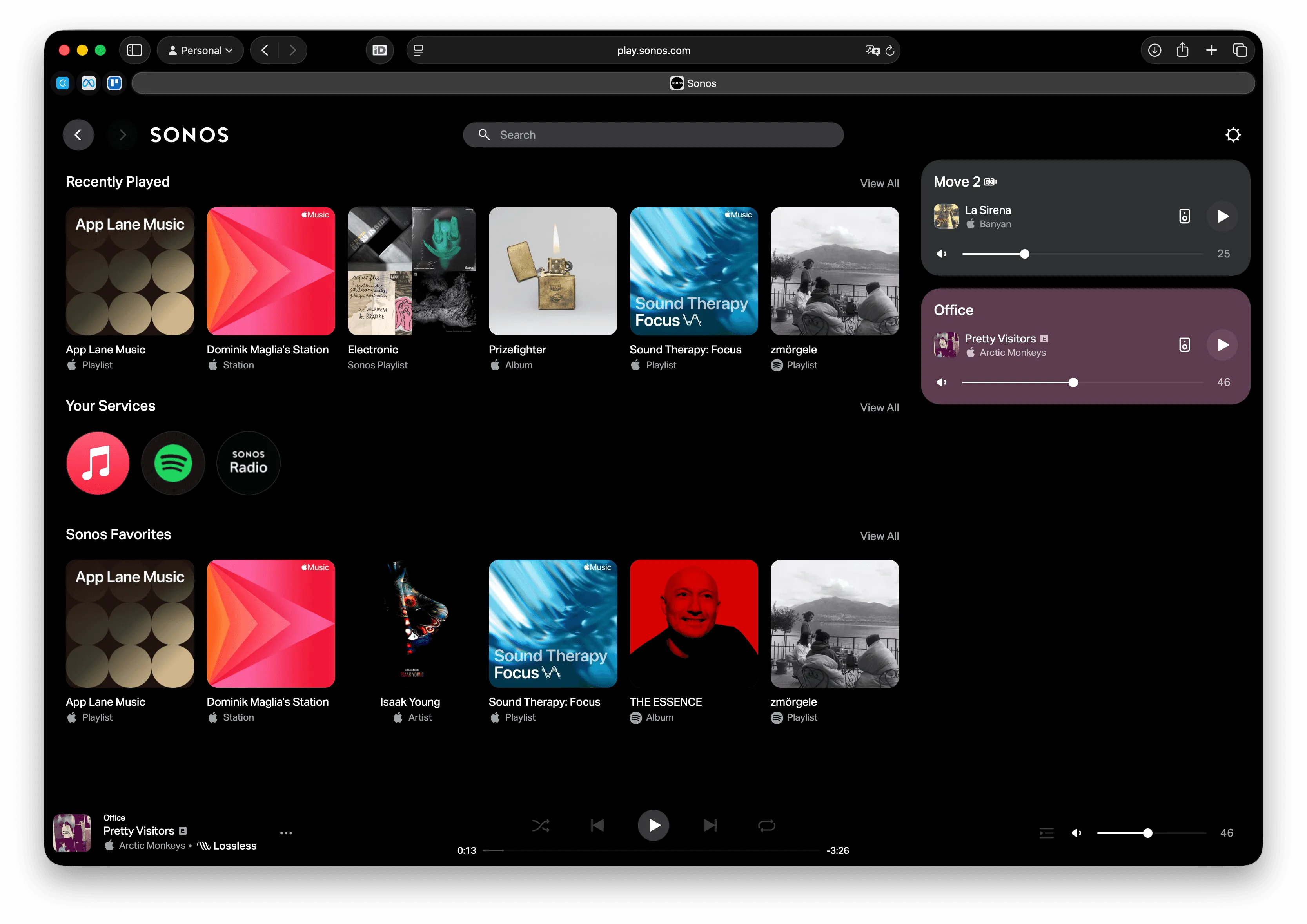
The current Sonos Mac solution lives in your browser at play.sonos.com. It loads your rooms, lets you browse and queue content, adjust volumes, and manage groups, the same core controls available in the mobile app, accessible from any modern browser.
For occasional use or system setup, it covers the basics. But for someone working at a Mac for hours at a time, the browser-based model creates friction the desktop app never did.
- Context-switching: Adjusting volume or skipping a track requires switching to the browser tab, making the change, and switching back. For users who minimize windows or work across multiple spaces, that’s several steps each time.
- No keyboard shortcut support: The Mac’s media keys (play/pause, skip, volume) don’t connect to the Sonos web app. There’s no way to bind system-level shortcuts to Sonos playback from within a browser.
- No macOS integration: The web app has no menu bar presence, no Notification Center widget, no Apple Shortcuts actions, and no Siri support. It exists entirely inside the browser and doesn’t participate in the macOS ecosystem around it.
- Reliability variation: User reports on the Sonos Community forums and Reddit describe the web app as functional but inconsistent: occasional connection drops, grouping issues, and slower response compared to the mobile apps. Results vary by network setup.
The web app covers the essentials, and for occasional use that’s enough. Where it falls short isn’t a matter of polish; it’s structural. A browser-based tool can’t integrate with the Mac keyboard, the menu bar, or the system layer around it. Closing that gap requires something built for Mac from the start.
MBC as the Dedicated Mac Solution
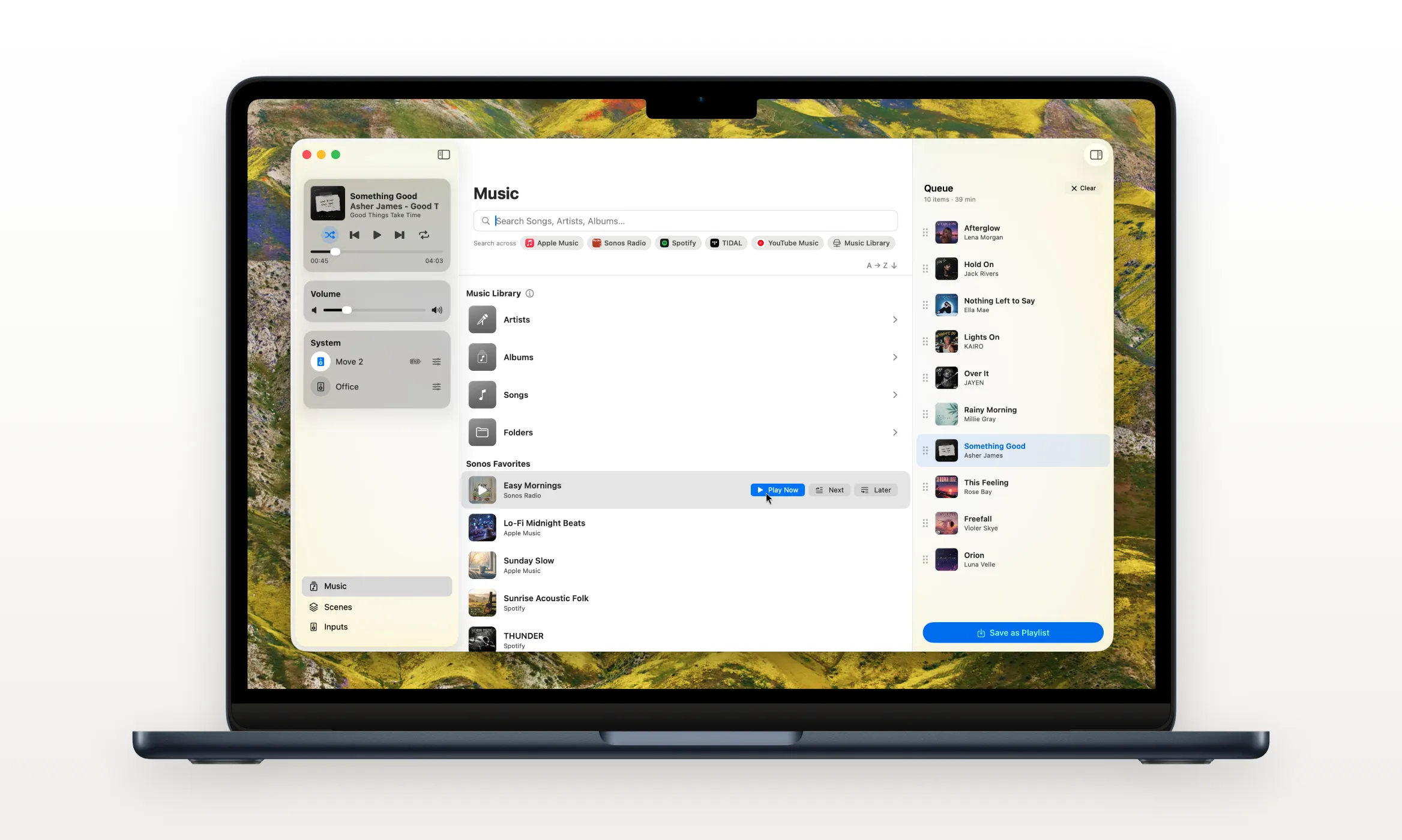
Menu Bar Controller for Sonos is a native Mac app built around a different premise: Sonos control should never require switching away from what you’re doing. Where the web app is a destination you navigate to, MBC is always present: in the menu bar, responding to key presses, woven into the macOS features the browser can’t touch. It was originally created by an indie Mac developer who found the existing Sonos options one step too many while working at his Mac, and that original focus on reducing friction remains the core of what the app does.
Getting Started
- Download MBC from the Mac App Store. A 14-day free trial with full access starts automatically, no account or signup required.
- Open the app and sign in with your Sonos account to authorize the connection.
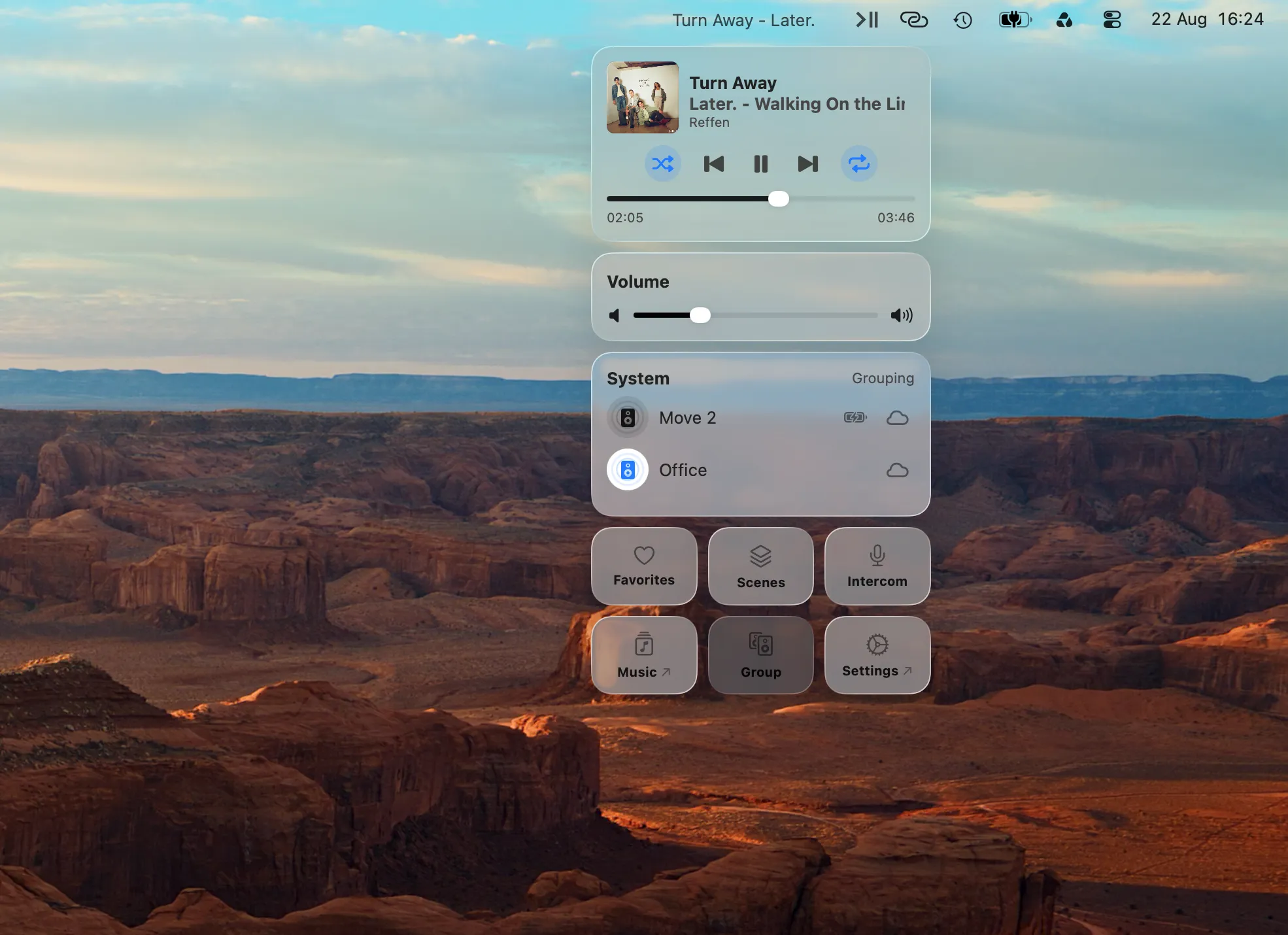
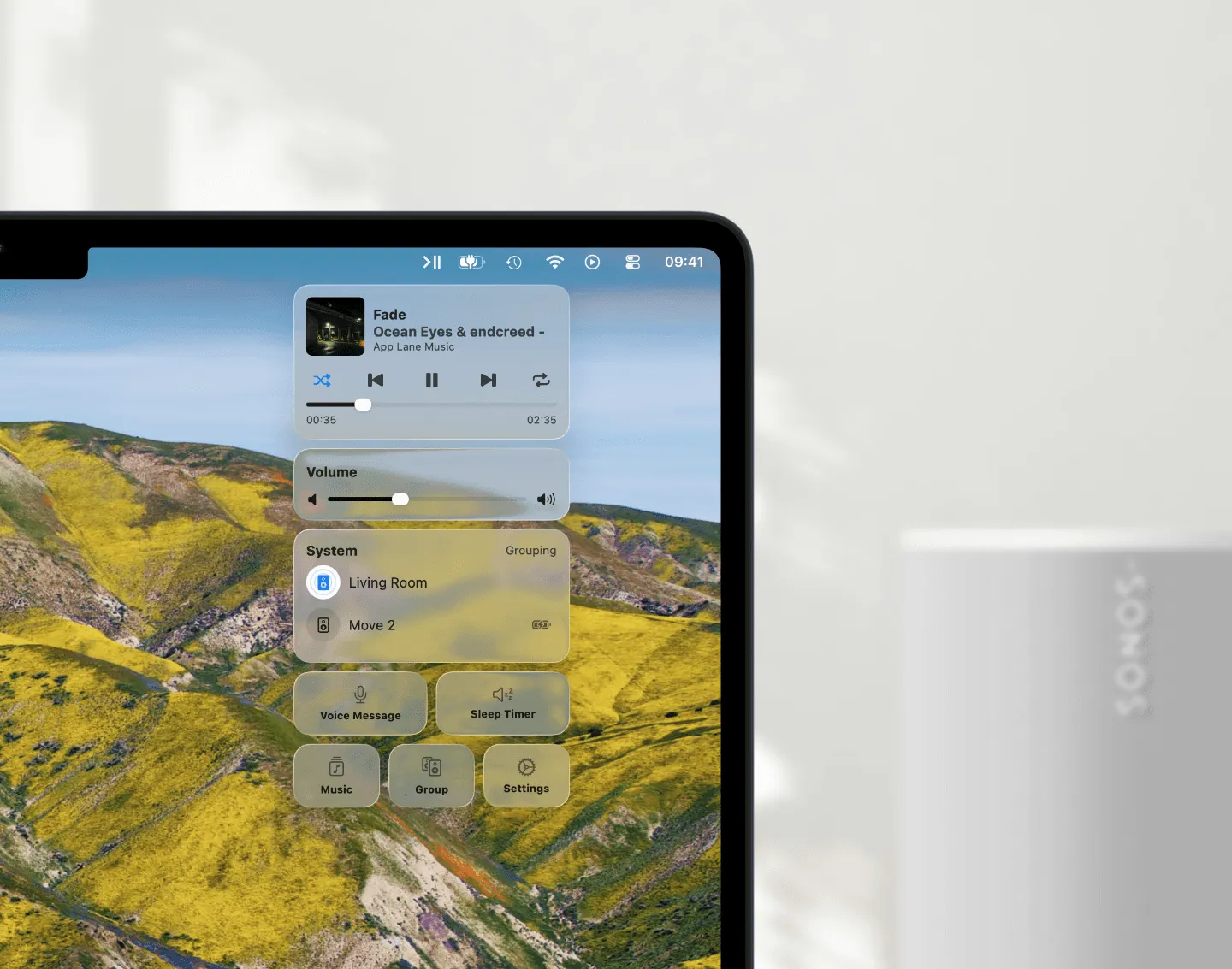
- MBC detects your Sonos system and appears in the menu bar. Click the icon to open the controller panel.
Menu Bar Access
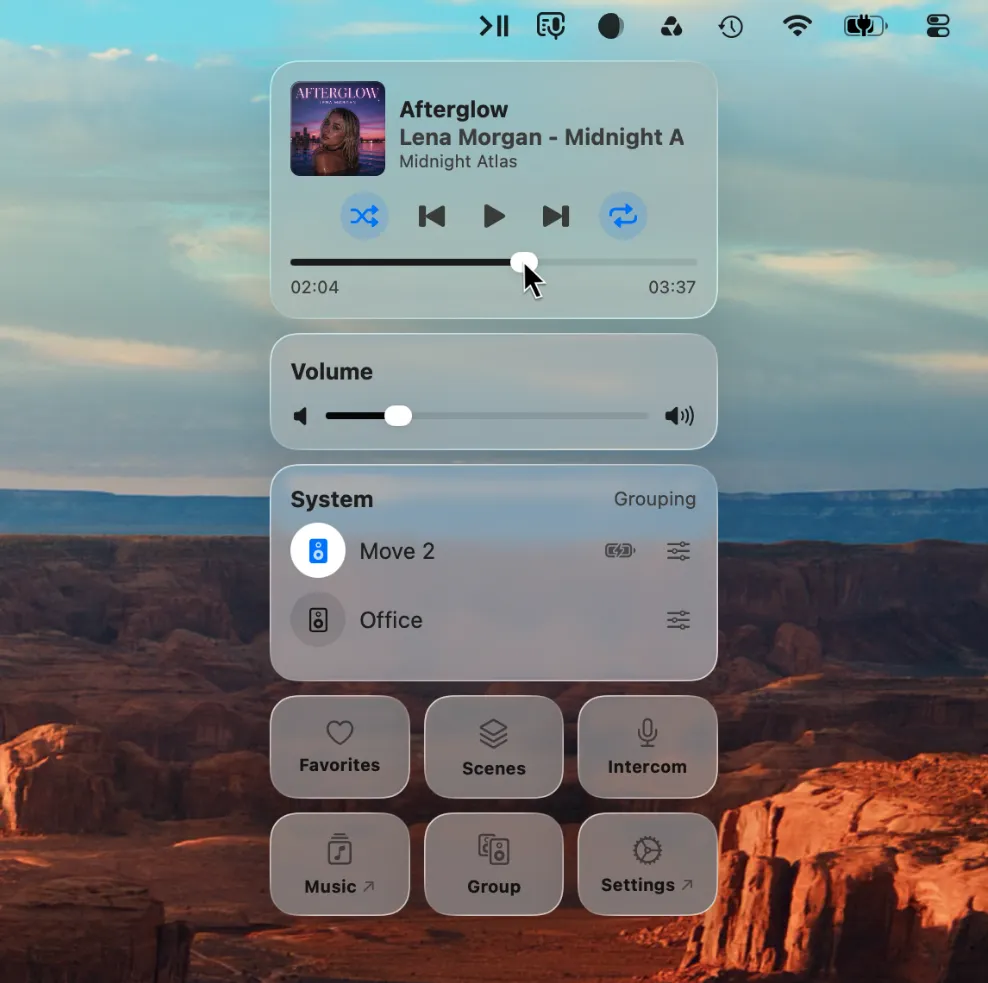
The MBC icon sits in the Mac menu bar at all times. One click opens the controller (rooms, volume, now-playing, grouping) without leaving your current window or switching apps. It’s the same pattern as other Mac menu bar utilities: always reachable, never in the way. When you’re done making a change, click away and the panel disappears.
Keyboard Control
MBC maps Sonos playback to the Mac’s function keys by default, and lets you reassign any action to a custom key combination in Settings. Volume, play/pause, skip: all reachable without touching the trackpad or switching context. For keyboard-driven workflows, this is the most direct fix for the gap the web app leaves: the control is always available, regardless of which app is in focus.
The specific default key assignments are shown in the app’s Settings panel and can be changed to suit your setup.
| Action | Default keyboard shortcut |
|---|---|
| Play / Pause | ⌘F8 |
| Next Track | ⌘F9 |
| Previous Track | ⌘F7 |
| Increase Volume | ⌘F12 |
| Decrease Volume | ⌘F11 |
| Mute / Unmute | ⌘F10 |
| Seek Forward | ^⌘F9 |
| Seek Backward | ^⌘F7 |
Floating Mini Player
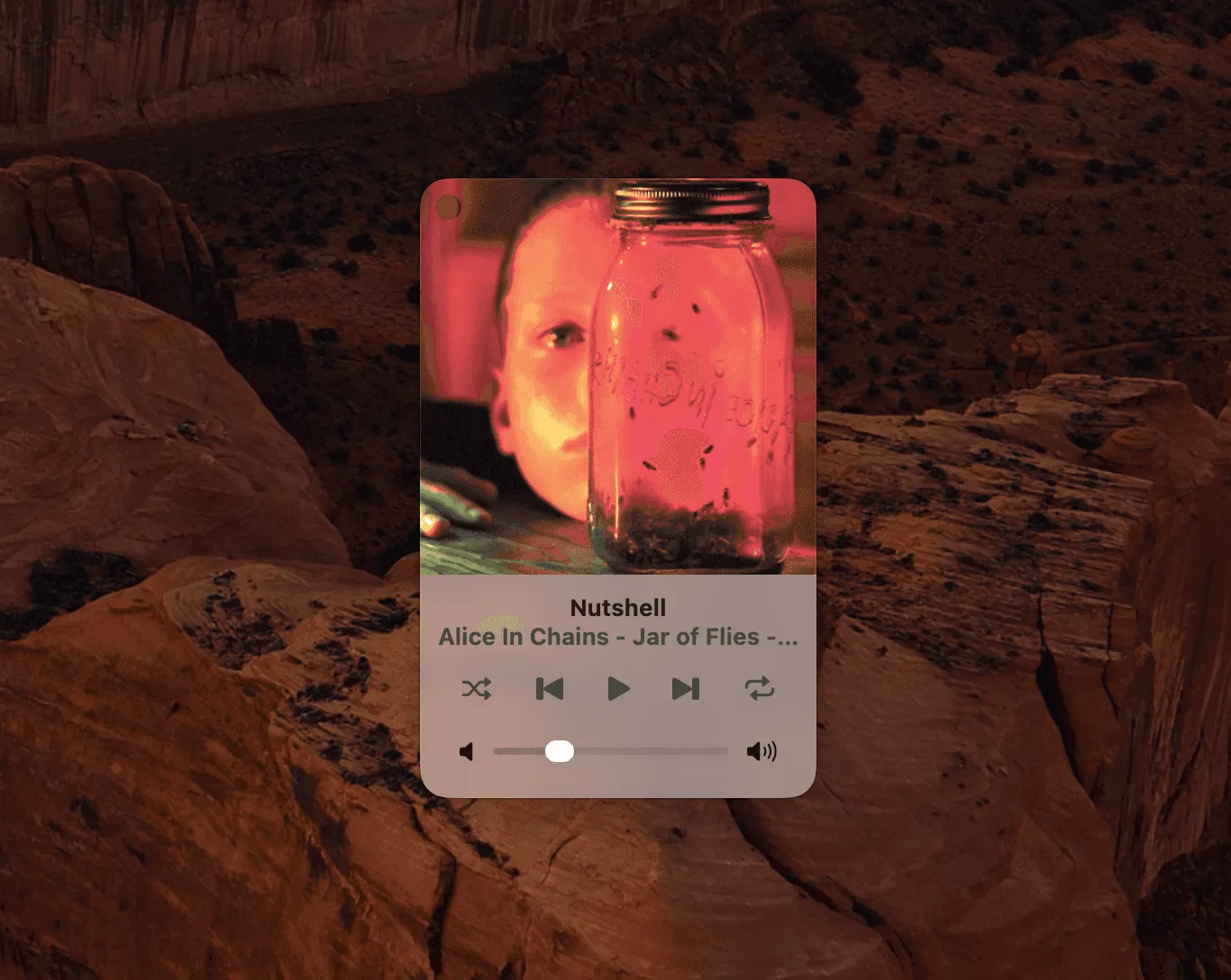
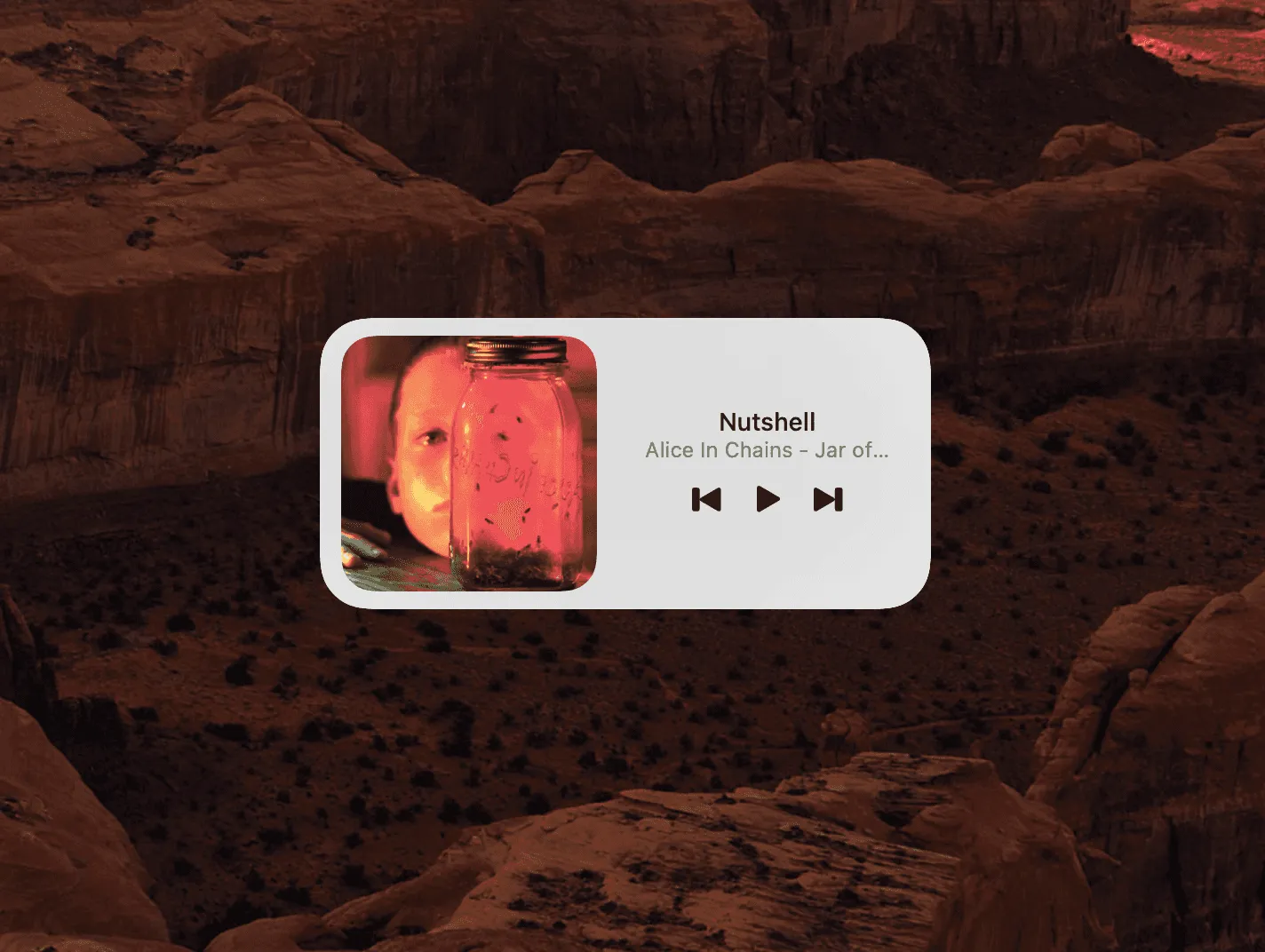
For users who prefer a visual reference, MBC includes a compact now-playing window that floats on the desktop independently of the menu bar panel. It shows album art, the current track and artist, and basic transport controls, enough information at a glance without taking up meaningful screen space. It appears when you want it and can be dismissed when you don’t, making it a useful complement to keyboard control rather than a replacement for it.
macOS Widgets
MBC adds a widget to the macOS Notification Center and to the desktop widget layer introduced in recent macOS releases. The widget shows what’s currently playing without requiring any interaction, useful if you glance at your desktop between tasks and want to know what’s on without opening anything. It fits into the same widget column as Calendar, Weather, or any other macOS widget you already use.
Apple Shortcuts Integration
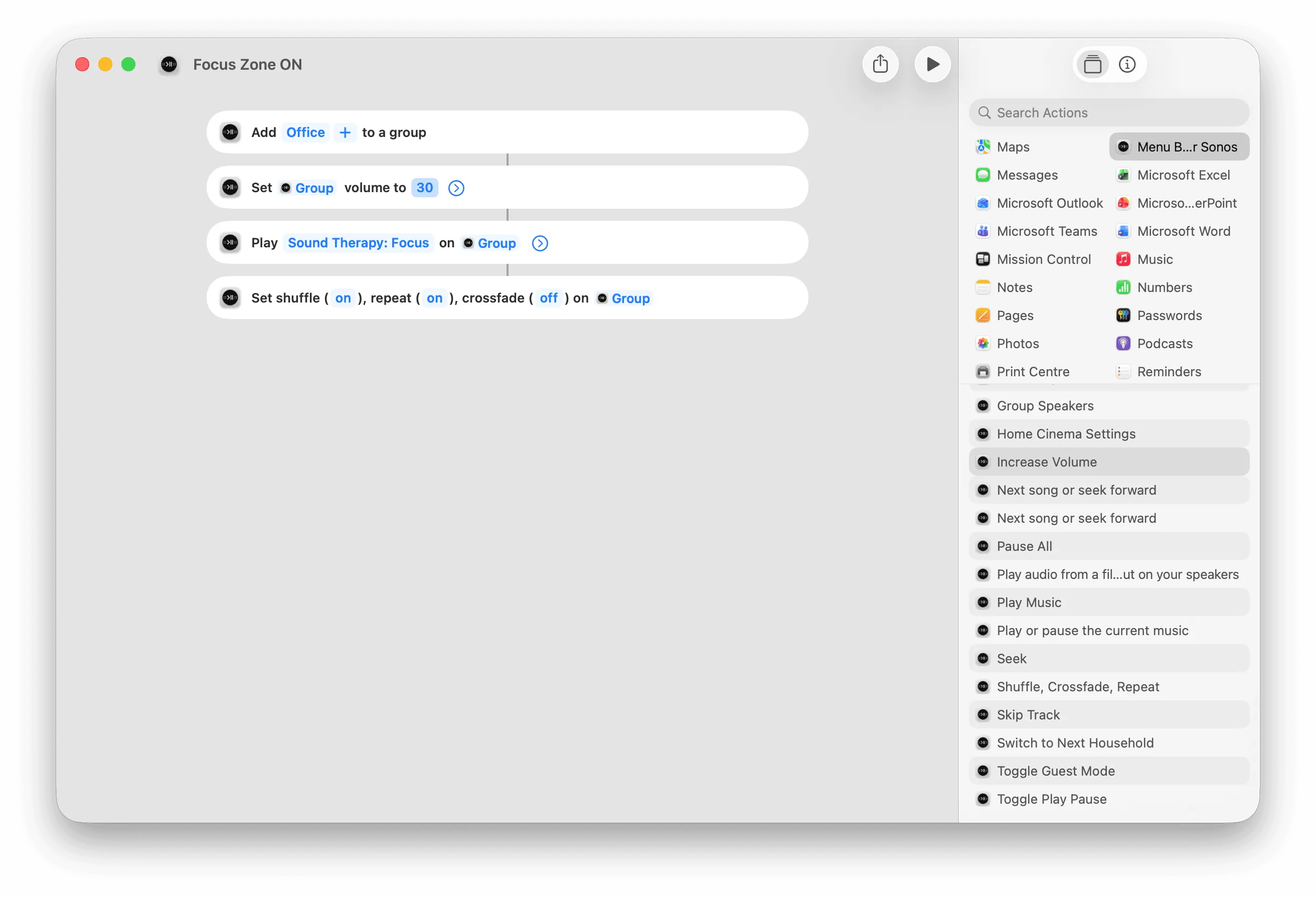
MBC exposes Sonos actions to the Shortcuts app, which opens up a practical range of automations. You can pause Sonos when a Focus mode activates, trigger a specific room or playlist from a keyboard shortcut set up in Shortcuts, or chain Sonos controls into a broader automation alongside other apps. For users who already rely on Shortcuts as part of their Mac workflow, this means Sonos participates in it rather than sitting outside it. AppleScript is also supported for users who prefer scripting directly.
Conclusion
The Sonos web app is a functional baseline, but it was built for universal browser access, not for users who spend most of their day at a Mac. It doesn’t integrate with the keyboard, the menu bar, or the macOS features that make the platform efficient. MBC is a native app built to close exactly that gap: it puts Sonos controls where Mac users expect them, responds to keyboard input system-wide, and connects to the macOS features the web app can’t reach.
Try the Menu Bar Controller for Sonos for free for 14 days. Available on the Mac App Store.