The Sonos Mac App Is Going Away: Your Options
macOS now warns that the Sonos Mac app "will not open in a future release." What that means, when it actually breaks, and why your Mac can end up with a better Sonos app than the one it's losing.
8 min read
If you control your Sonos system from a Mac, you may have seen this warning recently: “This version of ‘Sonos’ will not open in a future release of macOS.”
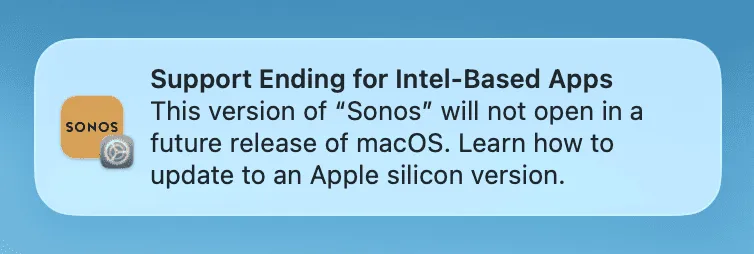
It’s real, it comes from Apple rather than Sonos, and it has a fixed timeline.
Here is what’s actually happening, when the app stops working, what Sonos offers instead, and why the switch doesn’t have to be a downgrade.
What’s Happening, Exactly
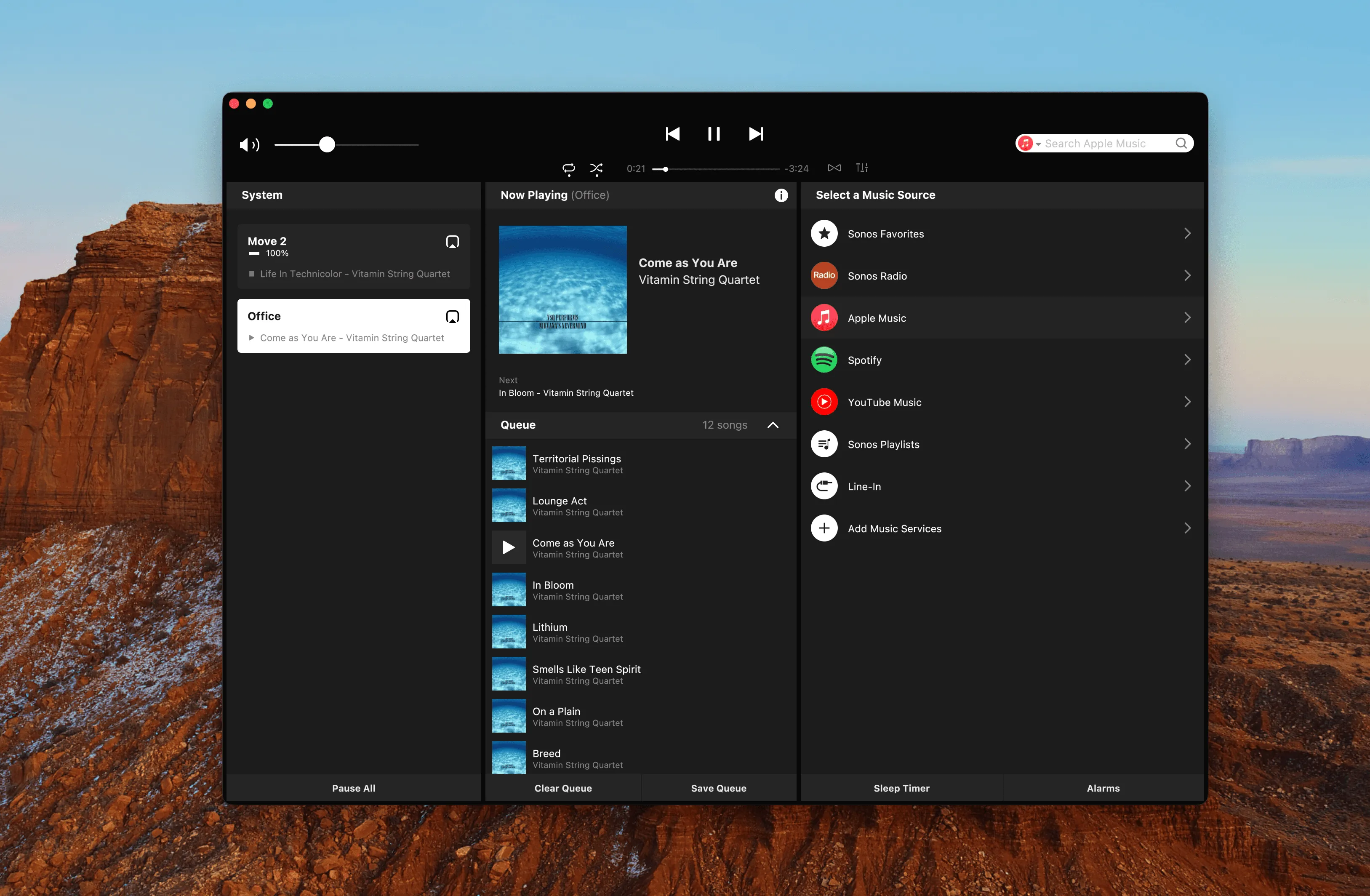
The Sonos desktop controller is an app from the Intel era. On Apple Silicon Macs (every Mac sold since 2021) it only runs through Rosetta 2, Apple’s translation layer for Intel software.
At WWDC 2025, Apple announced Rosetta’s retirement: it stays available through macOS 27, then it’s gone, a timeline Apple’s WWDC 2026 materials just reconfirmed.
Since macOS 26.4, the system actively warns you when you launch an app that won’t survive that cut. The Sonos desktop app is one of them: as of the current version (17.2.3, May 2026), it is still an Intel-only app. Sonos continues to ship occasional maintenance updates, but it has not released an Apple Silicon version, and it points desktop users to its web app instead.
None of this is a bug. It’s a scheduled retirement.
When Does the Sonos Mac App Stop Working?
The retirement happens in three steps. Since macOS 26.4, released in early 2026, the app still works; macOS just warns you on launch that it won’t forever.
macOS 27 “Golden Gate”, due in the fall of 2026, is the last version of macOS with full Rosetta support, and upgrading to it automatically uninstalls Rosetta. The first time you open the Sonos app after the update, it won’t launch until you reinstall Rosetta yourself. So expect one breakage on upgrade day, then a final year on borrowed time.
Then, with macOS 28 (expected in the fall of 2027) Rosetta is gone, and the Sonos desktop app will simply not open anymore.
-
Early 2026
macOS 26.4
Works, warns on launch
The app still opens exactly as before.
-
Fall 2026
macOS 27
Works via Rosetta
The last macOS with full Rosetta support.
-
Fall 2027
macOS 28
Will not open
The expected date. Rosetta is gone for good.
A note if you’re on an Intel Mac: macOS 27 will require Apple Silicon, so Intel Macs stay on macOS 26, where the Sonos app keeps running, just without a future.
In short: you have time. But the direction is one-way.
What Sonos Offers Instead: the Sonos Web App for Mac
The web app. Free, official, runs in any browser. For everyday control it works. The friction is the form factor: it lives in a browser tab, so there’s no menu bar presence, no keyboard or media-key control, and the tab has a way of disappearing exactly when a song needs skipping.
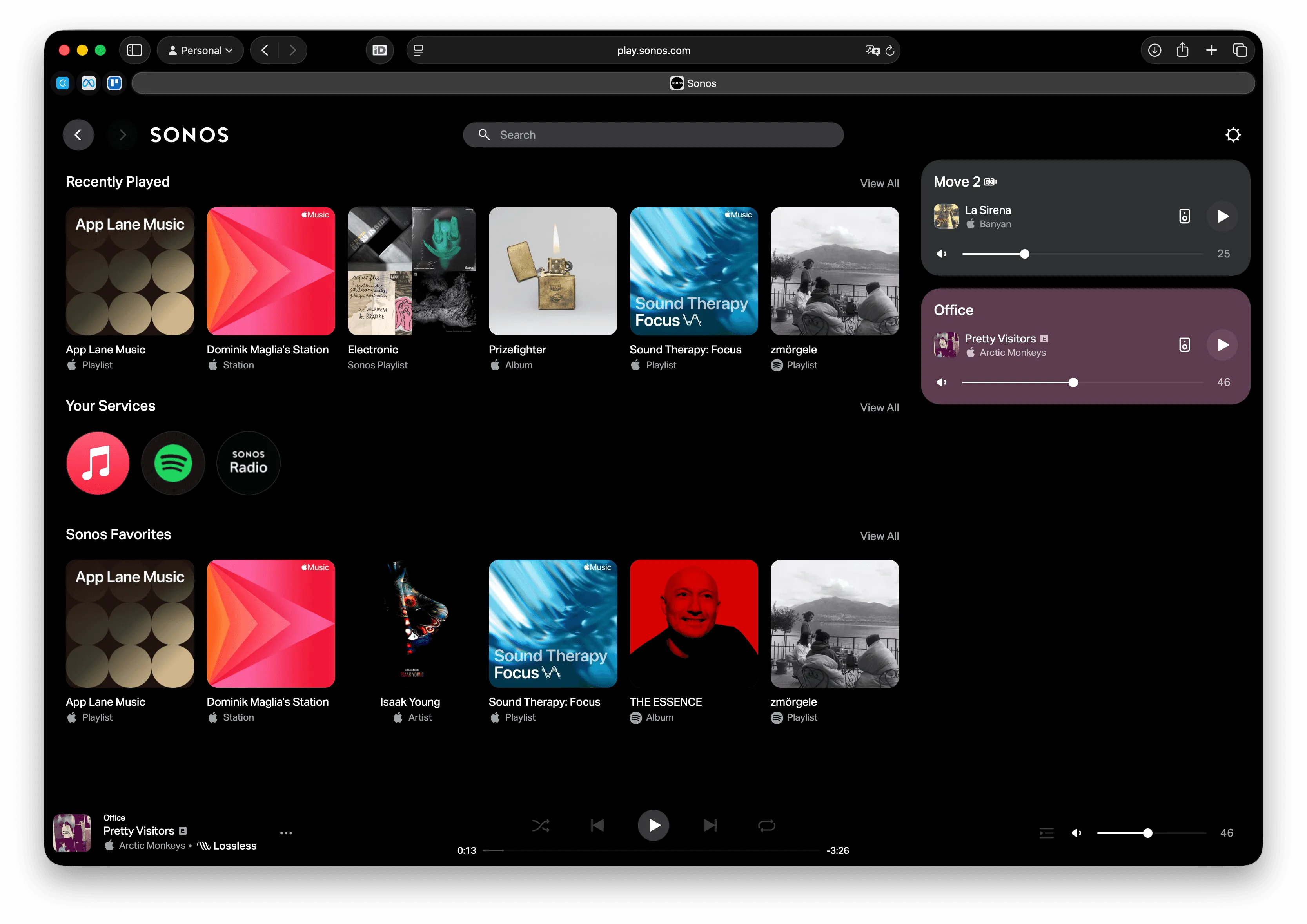
The iPhone and iPad app. Also official, also free. Fine, if you don’t mind reaching for your phone while you’re working on your Mac.
Staying on an old macOS. This works until you buy a new Mac or a security update forces the question. It’s a delay, not a solution.
What none of these give the Mac is what the desktop app gave it: an app of its own.
MBC: a Sonos App for Apple Silicon and Intel Macs
Menu Bar Controller for Sonos (MBC) has been maintained continuously since 2018. The honest pitch is simple: it does almost everything the Sonos desktop app could, and it adds the things a Mac app should have had all along.
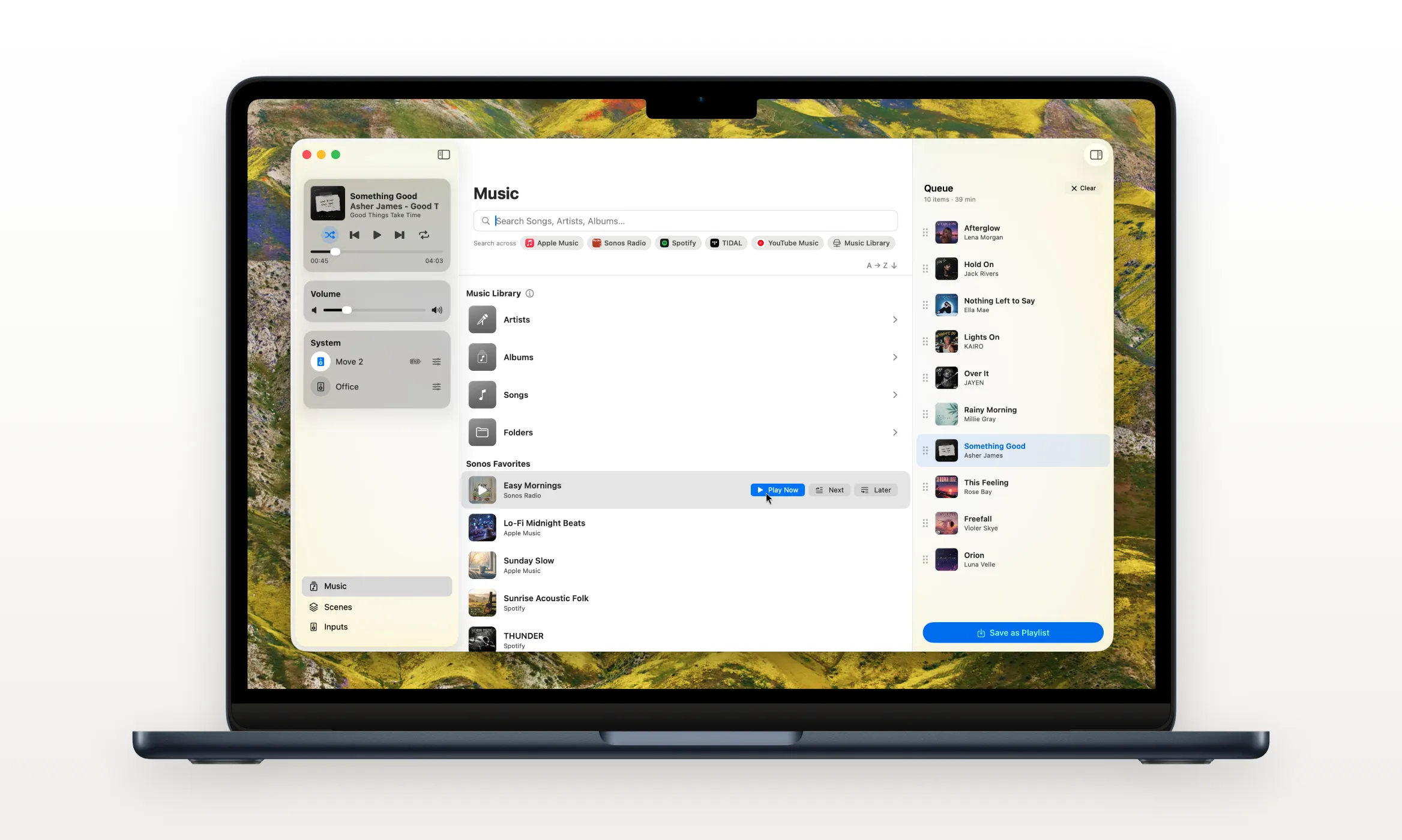
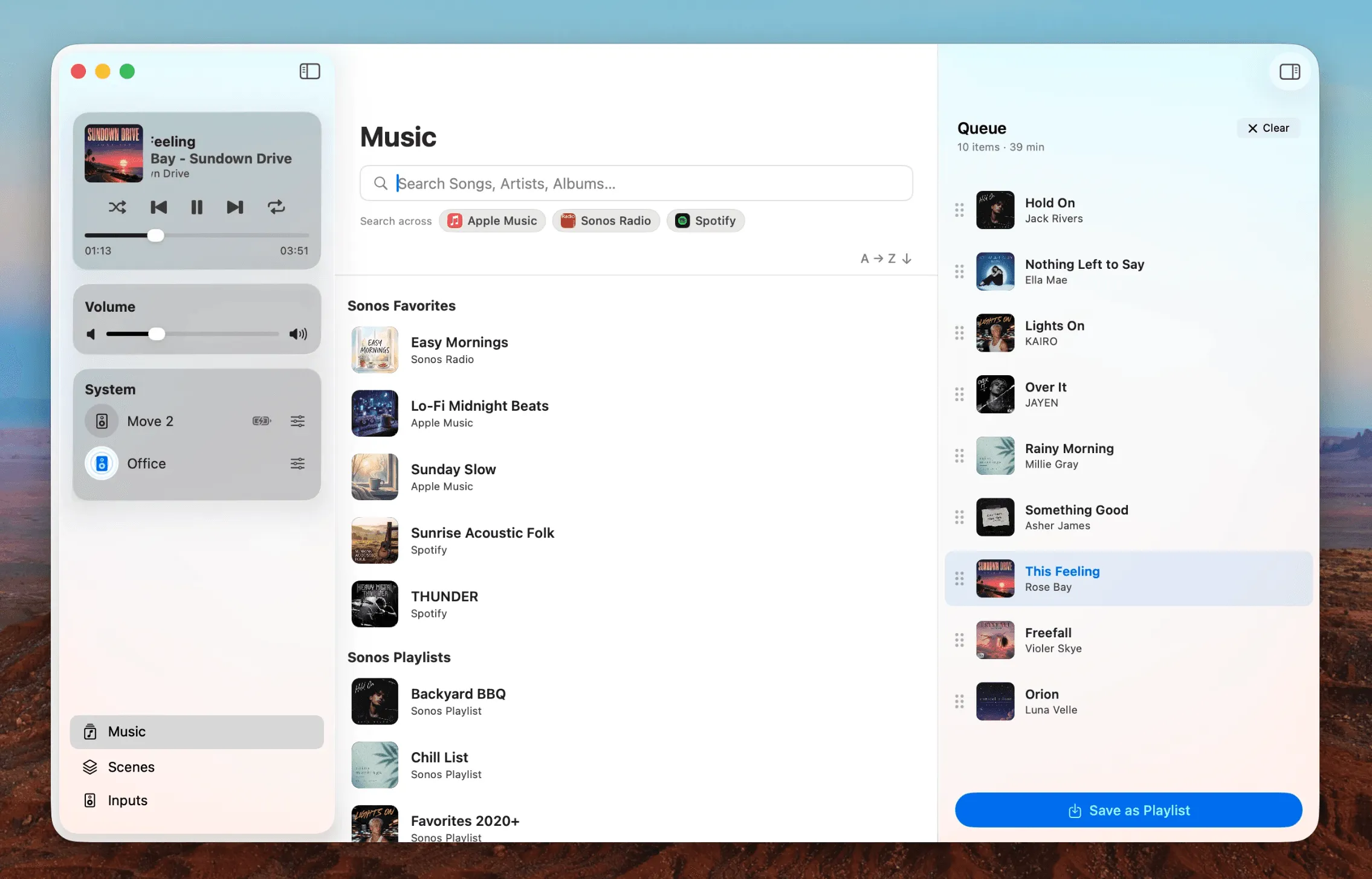
The parity part first. Playback, volume, grouping, queue: covered. And since version 7, MBC has a full music library window. That matters, because browsing your library in a real window was the desktop app’s actual reason to exist. That experience isn’t dying with the old app; it moved.
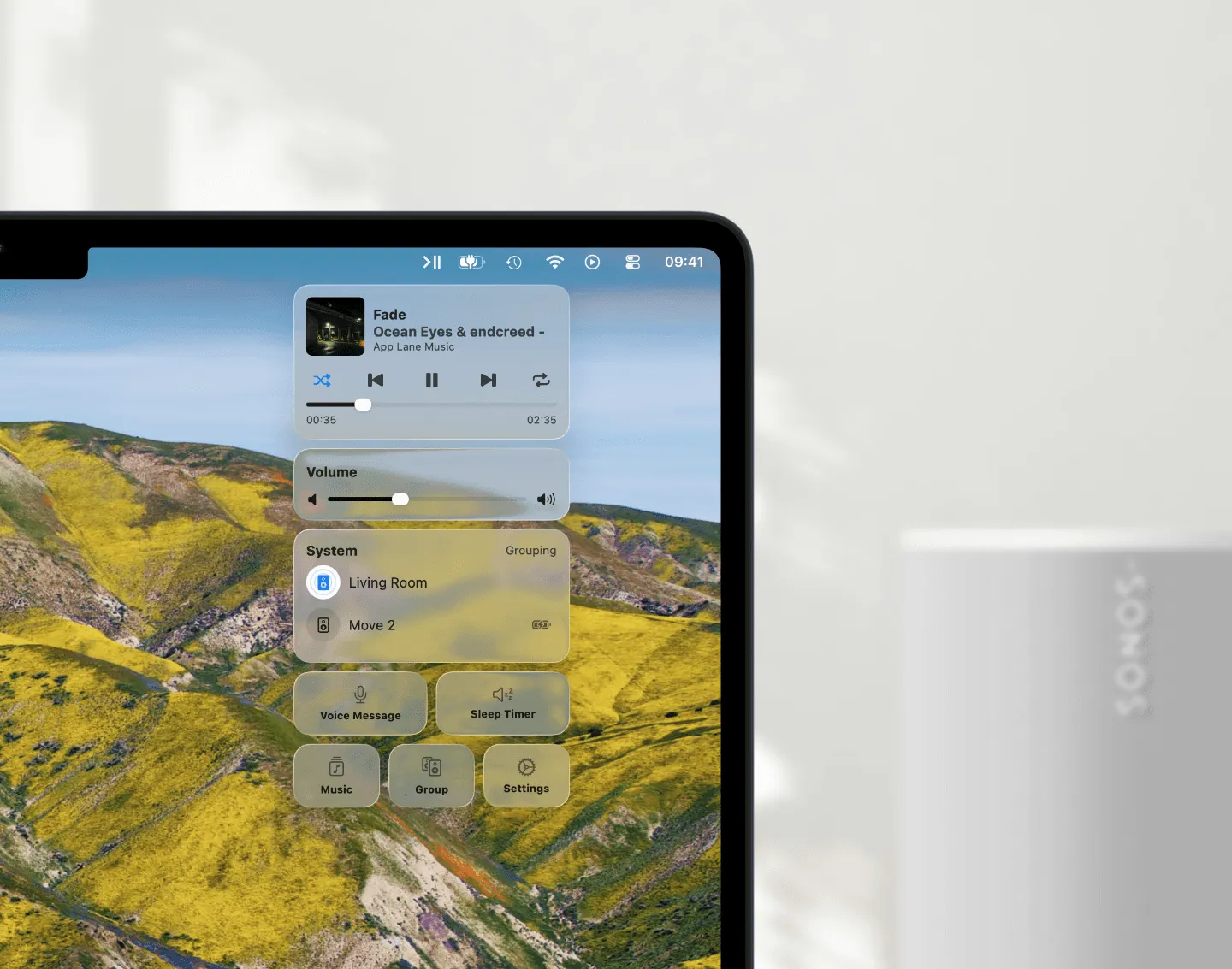
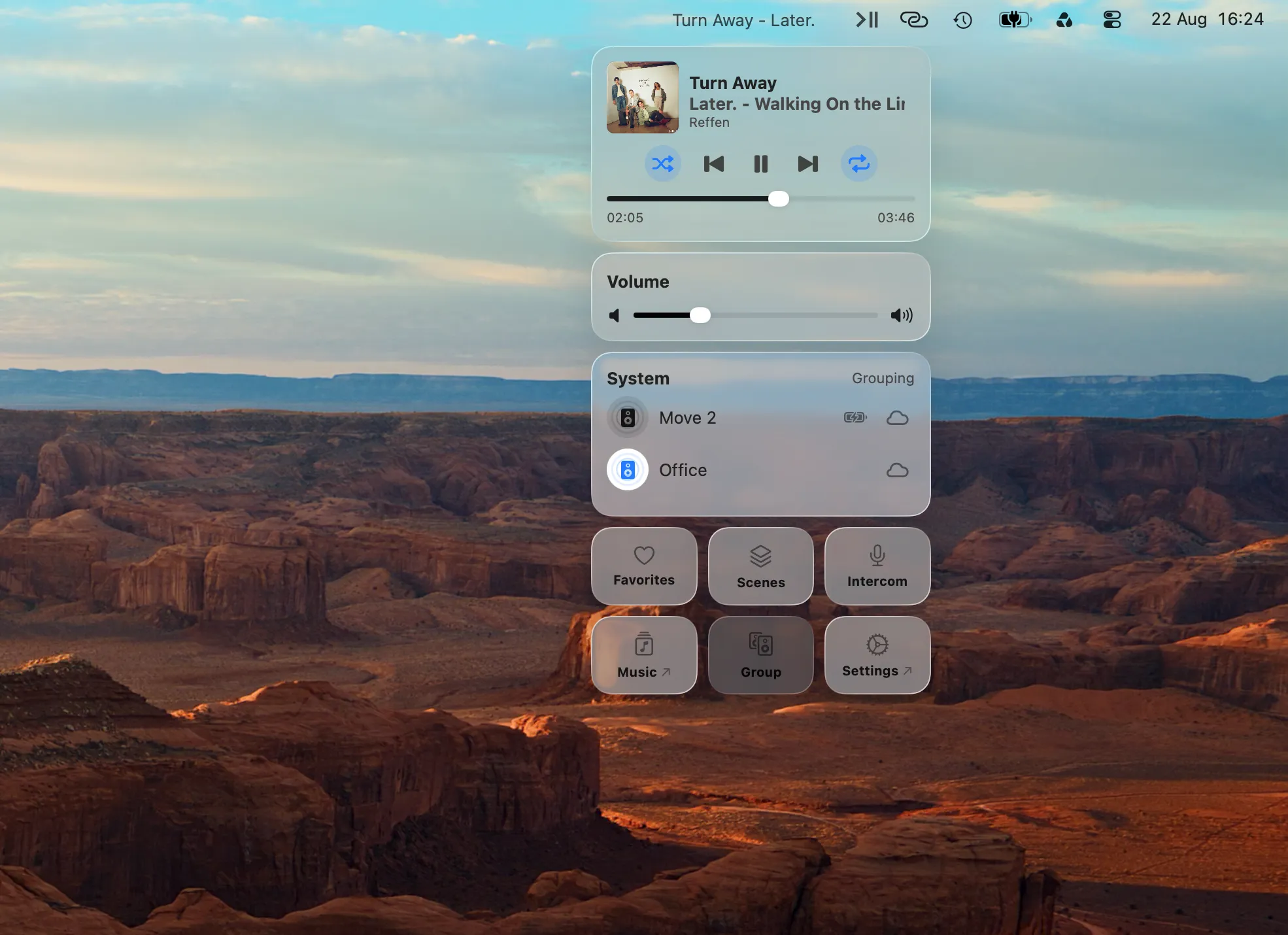
Then the part the old app never had. MBC lives in your menu bar, so Sonos control is one click away in whatever you’re doing. Your Mac’s volume and media keys control your speakers. There’s a Mini Player, desktop Widgets, Scenes for one-click room setups, and Apple Shortcuts support for automation, and even more. The old desktop app offered none of this.
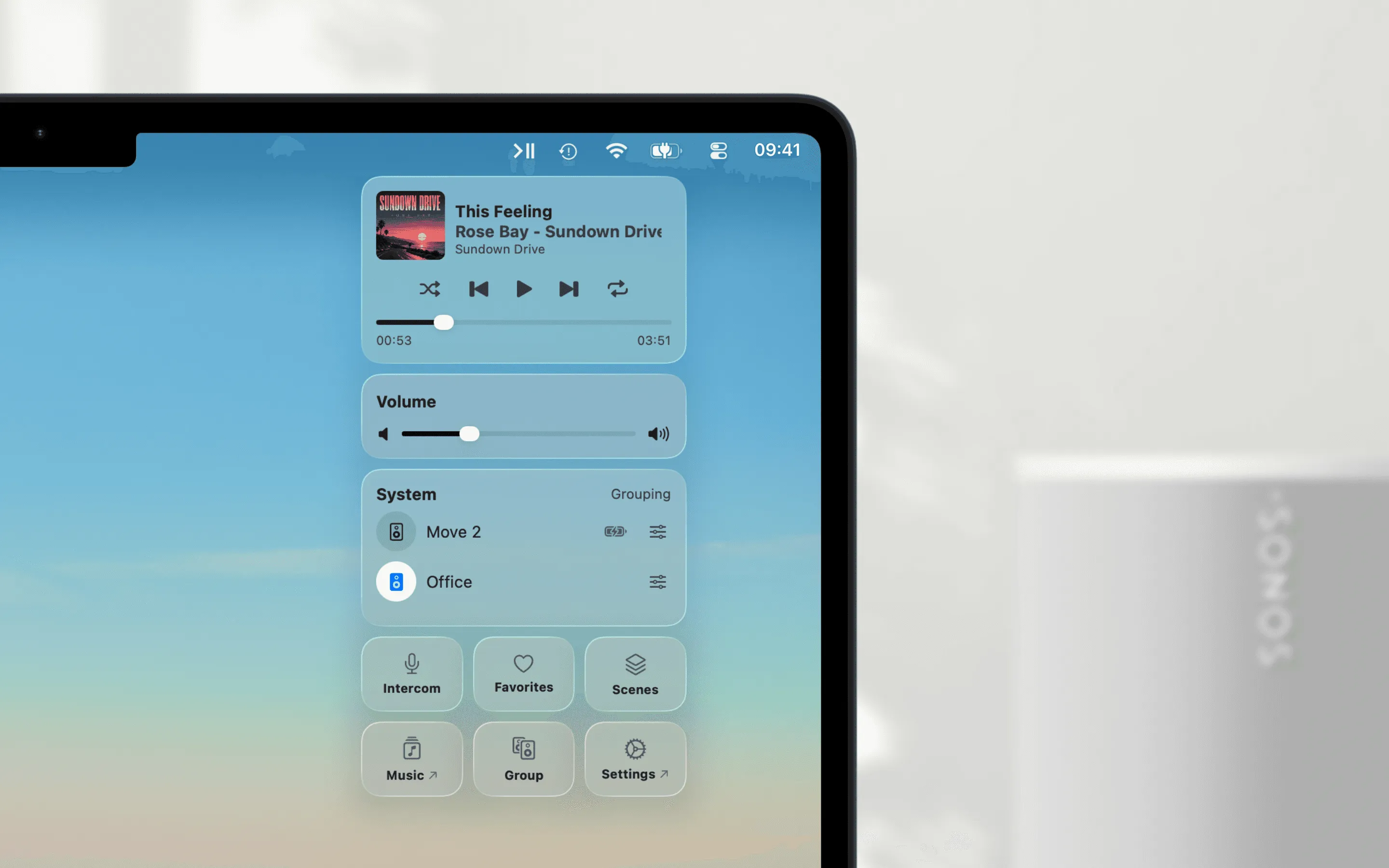
And because MBC is a universal app (it runs natively on Apple Silicon and Intel Macs alike) the Rosetta retirement that ends the official app simply doesn’t apply to it.
On price: the web app is free; MBC is a one-time purchase of $12.99, no subscription. Whether menu-bar comfort and a real library window are worth that is your call. That’s what MBC’s 14-day trial is for.
The Old App, the Web App, and MBC, Compared
The comparison below covers the three ways to control Sonos on a Mac that this guide is about: the retiring Sonos desktop app, the web app Sonos points to as its successor, and MBC. It compares what a Mac user actually feels in daily use: how each one runs, whether it survives the Rosetta retirement, S1 and S2 system support, music library browsing, menu bar and media-key control, and integrations like the Mini Player, Widgets, Scenes, and Apple Shortcuts.
| Feature | Sonos desktop app Retiring | Sonos web app Browser | MBC for Sonos Universal native app |
|---|---|---|---|
| Future on macOS | Stops opening with macOS 28 | Keeps working | Unaffected |
| Cost | Free | Free | $12.99 once · 14-day free trial |
| Runs as | Intel app via Rosetta | Browser tab | Native Mac app (universal) |
| S1 & S2 systems | Separate S1 app | S2 only | Both |
| Full music library window | Yes | In the browser | Yes |
| Menu bar control | No | No | Yes |
| Keyboard & media keys | No | No | Yes |
| Mini Player | No | No | Yes |
| Widgets | No | No | Yes |
| Scenes | No | No | Yes |
| Apple Shortcuts | No | No | Yes |
| Works without a browser tab | Yes | No | Yes |
| Grouping & rooms | Yes | Yes | Yes |
Read honestly, the table says three things. The old Sonos desktop app remains capable (full music library window, room grouping, no browser required) but it is an Intel-only app, it controls S2 systems only (S1 systems have their own, separate S1 Controller app that’s even older), and it stops opening with macOS 28, expected in fall 2027.
The Sonos web app keeps working and costs nothing, but it also covers only S2 systems, and it lives in a browser tab: no menu bar presence, no keyboard or media keys, no Widgets, Scenes, or Apple Shortcuts.
MBC for Sonos is a universal app that runs natively on Apple Silicon and Intel Macs alike, so the Rosetta retirement doesn’t affect it; it works with both S1 and S2 systems; and it covers everything the desktop app could do (including full music library browsing since version 7) while adding the Mac integrations neither Sonos option offers. It costs $12.99 once, after a 14-day free trial; whether that’s worth it over the free web app is exactly what the trial is for.
FAQ
Will the Sonos app stop working on my Mac?
Eventually, yes. The desktop app is Intel-only, and it will no longer open once macOS 28 arrives, expected in the fall of 2027. Until then it keeps working, with a warning on launch from macOS 26.4 onward. In practice you’ll hit a first breakage a year earlier: upgrading to macOS 27 in the fall of 2026 uninstalls Rosetta automatically, and the app won’t open again until you reinstall it yourself.
Why does macOS say “Sonos will not open in a future release”?
Apple is retiring Rosetta 2, the translation layer that lets Intel apps run on Apple Silicon. Since macOS 26.4 the system shows that warning for every Intel-only app it launches, the Sonos desktop app among them. The message comes from Apple, not from Sonos.
Why haven’t I seen the warning?
It ships with macOS 26.4. On macOS 26.3 or earlier the Sonos app launches silently; it’s an Intel-only app either way, your Mac just doesn’t flag it yet. You’ll see the warning after your next macOS update.
Is there a Sonos app for Apple Silicon Macs?
Not from Sonos: its official path for the desktop is the web app. MBC, the app made here, is a universal Mac app for Sonos; it runs natively on Apple Silicon without Rosetta, and natively on Intel Macs too.
I still run an S1 Sonos system. What about it?
Sonos covers S1 through the separate S1 Controller app, and the web app is S2 only, so S1 owners cannot move to it. The catch is that the S1 Controller is itself an Intel-only app that shows the same “will not open in a future release” warning, so it is not a way out of this timeline. MBC works with both S1 and S2 systems from the same app, and runs natively on Apple Silicon. More on living with S1.
What’s the best way to control Sonos on a Mac?
It depends on what you want. The web app is free, official, and lives in a browser tab. MBC costs $12.99 once and puts Sonos in your menu bar, on your media keys, and in a real library window. The table above is the honest comparison.
Conclusion
Nothing breaks tomorrow. The warning is real, and by the fall of 2027 the official Mac app is gone, with the web app as Sonos’s answer. But if the retirement is what finally makes you switch, the replacement doesn’t have to feel like one: MBC does everything the old app did (including the full music library) and adds what it never had: menu bar control, volume keys, the Mini Player, Widgets, Scenes, Apple Shortcuts, and more.
Try Menu Bar Controller for Sonos free for 14 days. Available on the Mac App Store.